.webp?width=200&height=114&name=2x-Packleader-logo-large%20(1).webp "2x-Packleader-logo-large (1)")

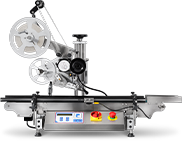
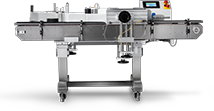
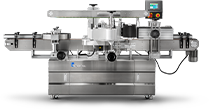
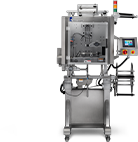

Labeling is often the last thing production teams think about when they're scaling output, and the first thing that breaks down once volume increases. A manual or semi-automatic labeling process that worked fine at lower speeds starts to show cracks as order volume climbs: labels applied crooked, operators falling behind the line, changeovers eating into shift time. For production managers and packaging engineers running high-volume lines, an automatic labeling system is usually the point where labeling stops being a bottleneck and starts matching the pace of the rest of the line.
This guide breaks down what automatic labeling systems actually do, the core configurations available, how to evaluate which one fits a given production environment, and what integration into an existing line really requires.
Why Labeling Becomes a Bottleneck at Scale
Most manufacturers don't set out to automate labeling first. Filling and capping usually get automated earlier, since they're the more visible constraints on output. But once those stages speed up, labeling often becomes the new limiting factor, and it's one of the more common reasons a packaging line can't keep up with demand even after upstream equipment has already been upgraded.
Common signs that labeling has become the bottleneck:
- Operators can't keep pace with upstream filling and capping speeds
- Label placement is inconsistent from container to container
- Changeovers for different container sizes or label formats take too long
- Labor is tied up doing repetitive manual application instead of quality checks or higher-value tasks
- Rework or rejects increase as line speed increases
None of these are signs of a failing operation. They're signs of a labeling process that was built for a lower-volume stage of the business and hasn't caught up to where production actually is now.
What an Automatic Labeling System Does
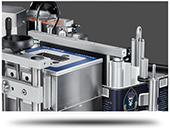
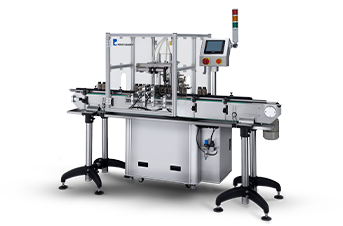
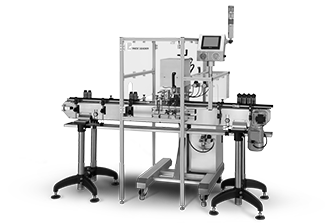
An automatic labeling system applies labels to containers without an operator manually positioning and pressing each one, which matters because manual bottle labeling tends to slow production well before most teams recognize it as the actual constraint. Depending on the configuration, it can also print variable data (lot codes, dates, barcodes) at the point of application, verify label presence, and reject containers that don't meet spec, all while running in sync with the rest of the line.
At its core, the equipment performs three functions:
- Container handling: moving, indexing, or rotating containers into position, often working alongside upstream equipment like a pick-and-place machine that positions containers before they reach the labeling station
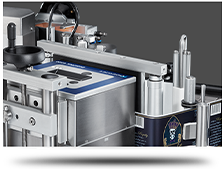
- Label dispensing and application: peeling, positioning, and applying the label (or printing and applying it in one step)
- Verification: confirming the label is present, correctly placed, and readable before the container moves downstream
How those three functions are engineered together depends on the configuration.
Core Configurations
There isn't one type of automatic labeling equipment. The right configuration depends on container shape, label type, line speed, and how much flexibility the operation needs across SKUs.
Pressure-Sensitive (Wipe-On/Roll-Fed) Labeling
Applies pre-printed pressure-sensitive labels using a rotating brush, wipe-on pad, or air-blow application. This is the most common configuration for straightforward product labeling on round, oval, or flat containers, and it typically offers the best balance of speed, cost, and flexibility for mid-to-high volume lines. Teams evaluating this category for the first time should also look past sticker price, since what low-cost options don't show you often shows up later in maintenance and downtime rather than on the initial quote.
Print-and-Apply Systems
Combines a thermal transfer or direct thermal printer with an automatic applicator, generating and applying labels with variable data (batch codes, expiration dates, serialized barcodes) in real time. This configuration matters most for operations with regulatory traceability requirements or frequent SKU-specific data changes, which is a common consideration when finding the right automatic labeling machine for food products where lot coding and date stamping are non-negotiable.
Wrap-Around and Shrink Sleeve Labeling
Wraps a label fully or partially around cylindrical containers, or applies a shrink sleeve that's heat-activated to conform to the container shape. Better suited for full-body branding or containers with irregular shapes where a flat label won't sit correctly.
Rotary Labeling Systems
Uses a rotary turret to index containers continuously through the labeling station, allowing very high throughput with tight speed synchronization. Rotary configurations are typically reserved for operations running consistently high volumes on a narrow range of container sizes, since changeover flexibility is usually more limited than inline systems.
Inline (Linear) Labeling Systems
Containers move through the labeling station in a straight line rather than on a rotary turret. Inline systems generally offer more flexibility for handling varied container shapes and sizes, and they integrate more easily into existing conveyor-based lines, though top-end speed can trail rotary configurations at extreme volumes.
| Configuration | Best Fit | Tradeoff |
|---|---|---|
| Pressure-sensitive | Round/flat containers, general product labeling | Limited for irregular shapes |
| Print-and-apply | Traceability, variable data, regulated products | Higher per-unit cost, more maintenance |
| Wrap-around/shrink sleeve | Full-body branding, irregular containers | Slower changeover, higher label cost |
| Rotary | Very high volume, narrow SKU range | Less flexible across container types |
| Inline | Mixed SKUs, easier integration | Top speed may lag rotary at extreme volumes |
Operational Considerations for Line Integration
Choosing a configuration is only part of the decision. How the equipment fits into the existing line determines whether it actually solves the bottleneck or just relocates it.
Line Speed Synchronization
The labeling system has to run in sync with upstream filling and capping equipment and downstream casing or palletizing. A labeler rated for a certain speed on paper won't deliver that speed if it isn't properly synchronized with the rest of the line's conveyor and indexing controls, which is why faster machines don't always increase packaging line throughput on their own.
Changeover Time
If the operation runs multiple container sizes, label formats, or SKUs, changeover time matters as much as run speed. Tool-less or minimal-tool changeover mechanisms, along with recipe-based controls that store settings for repeat SKUs, reduce the time lost between production runs.
Footprint and Layout
Automatic labeling equipment needs to fit the physical layout of the line, including space for label roll changes, maintenance access, and any upstream/downstream buffering. Retrofitting into an existing line often requires more layout planning than specifying equipment for a brand-new line build.
Label Stock and Application Accuracy
Label material, adhesive type, and container surface (glass, plastic, textured, curved) all affect application accuracy. Equipment needs to be matched to the label stock actually in use, not just the container type, since inconsistent adhesion or misapplication under real production conditions is a common cause of downstream rejects.
Controls and Data Integration
For operations with traceability or serialization requirements, the labeling system's controls need to integrate with the plant's data systems, whether that's a basic PLC-driven interface or a full connection to an ERP or MES for lot tracking and reporting.
Semi-Automatic vs. Fully Automatic: When Each Makes Sense
Not every line needs a fully automatic system right away. The right level of automation depends on current volume, growth trajectory, and labor availability.
Semi-automatic labeling still requires an operator to load or position containers, but automates the label application itself. This is a reasonable fit for operations running moderate volumes, testing new products before scaling, or working through budget-friendly packaging automation upgrades before committing to a larger investment.
Fully automatic labeling removes manual handling almost entirely, integrating directly with upstream and downstream equipment. This is the right fit once volume, labor cost, or consistency requirements make manual handling a genuine constraint, since low-cost labeling equipment tends to start limiting production once a line scales past what it was originally sized for.
The decision point is usually less about budget and more about whether labor is being spent on repetitive application work that could be automated, freeing operators for tasks that require judgment, like quality checks or line troubleshooting.
Signs It's Time to Evaluate a Change
A few patterns tend to show up consistently in operations that are ready to move to automatic labeling, or upgrade an existing system:
- Labeling is the visible bottleneck holding back the rest of the line's throughput
- Labor originally assigned to labeling is needed elsewhere but can't be reassigned
- Inconsistent label placement is generating customer complaints or increased rework
- SKU count or container variety has grown beyond what the current process can handle efficiently
- Traceability or regulatory requirements now demand variable data printing that manual processes can't reliably support
If more than one of these is true, it's worth evaluating current line speed, changeover requirements, and container variety against available configurations before the bottleneck gets worse under continued growth. It's also worth reviewing what most manufacturers get wrong about packaging automation before finalizing a configuration, since the most expensive mistakes tend to happen at the planning stage rather than after installation.
Frequently Asked Questions
How fast can an automatic labeling system run? Speed depends heavily on configuration, container type, and label size. Pressure-sensitive systems on standard containers commonly run in the range of tens to low hundreds of containers per minute, while high-speed rotary systems can exceed that on narrower SKU ranges. Actual achievable speed depends on integration with the rest of the line, not just the labeler's rated capacity.
Can one system handle multiple container sizes and label types? Many inline and modular systems are designed for this, using adjustable guiding, quick-change tooling, and recipe-based controls. Rotary systems tend to be less flexible across widely varying container sizes.
Does an automatic labeling system require a dedicated operator? Fully automatic systems typically require monitoring rather than active operation, though most lines still assign an operator to manage label roll changes, troubleshoot faults, and oversee quality checks.
What causes most labeling accuracy issues on automated lines? Mismatches between label stock, container surface, and application settings are the most common cause, along with inadequate line synchronization that causes containers to be out of position when the label is applied.
How long does it take to install and integrate an automatic labeling system? Timelines vary with configuration and how much the existing line needs to change to accommodate it. A standalone pressure-sensitive unit added to an existing conveyor can often be installed and running within days, while a system requiring full synchronization with upstream filling and capping controls typically takes longer to commission properly.
Is it worth automating labeling before other parts of the line? It depends on where the actual bottleneck sits. If filling and capping are already running efficiently and labeling is the stage causing rework or slowdowns, it's reasonable to prioritize it. If labeling is keeping pace fine and another stage is the constraint, automating labeling first won't move overall output.
Evaluating the Right Fit for Your Line
The right automatic labeling system isn't the fastest one on paper. It's the configuration that matches actual container types, label requirements, and volume, and integrates cleanly with the filling, capping, and casing equipment already running on the line. Getting that match right the first time avoids the common trap of automating labeling in isolation, only to find it creates a new bottleneck somewhere else.
Production teams evaluating a change are better served by mapping current line speed, SKU variety, and growth plans against configuration options before narrowing in on equipment, rather than starting from a speed spec and working backward. For a closer look at how advanced configurations handle that mapping in practice, see how manufacturers streamline their packaging line with advanced labeling machines.




.webp?width=360&name=2x-color-logo%20(1).webp "2x-color-logo (1)")